Personal ![arrow]()
Reminder:1.Stocks can only be transferred between accounts with exactly the same account holder name. Transfers from joint accounts or third-party accounts are not currently supported.
2.Transfer-in fees: There are no fees for transferring stocks into Airstar Bank, except for delisted Hong Kong stocks (a handling fee of HK$500 per delisted stock will be charged by the bank). Your current broker may charge a transfer-out fee. Please ensure you have sufficient funds in your current broker account to cover these fees. Otherwise, the transfer may fail.
3.Processing time: For Hong Kong stocks, once transferred out by the current broker, Airstar Bank will credit them to your account within 1 to 2 business days. For US stocks, identity verification with the receiving party is required, and the transfer may take 3 to 15 business days. (The above timeframes are for reference only. Actual processing times are subject to both parties.)
To transfer stocks, you'll need to complete two steps:
Step 1: Submit a transfer-in request to Airstar Bank
Step 2: Notify your current brokerage
Please follow the instructions below in the Airstar Bank app. Refer to the screenshots and text explanations as needed.
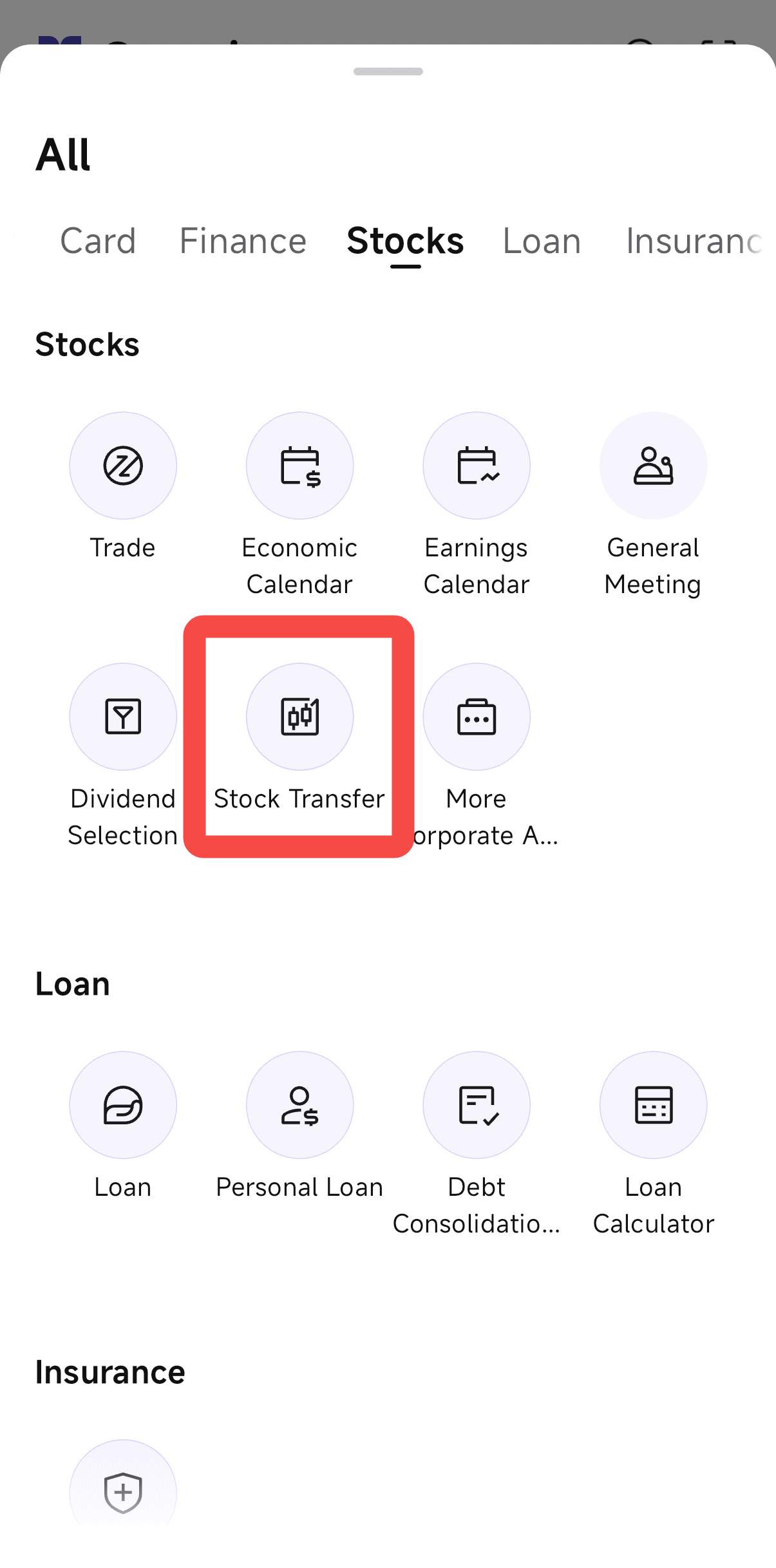
Open the Airstar Bank App and go to Overview > All > Stocks > Stock Transfer.
Select the corresponding market for the stocks you want to transfer in. If you want to transfer stocks from different markets, please submit separate transfer requests for each market.
The system will automatically select your default receiving account. If you have multiple accounts, please select the one you want to receive the stocks.
- Enter details of your current brokerage. For example, if you are transferring stocks from Brokerage A to Airstar Bank, select "Brokerage A". (If your brokerage is not listed, please select Other Brokerage.)
- Enter your account number with your current brokerage.
- Your account name at Airstar Bank will be displayed automatically. Please ensure that your name at the current brokerage matches exactly.
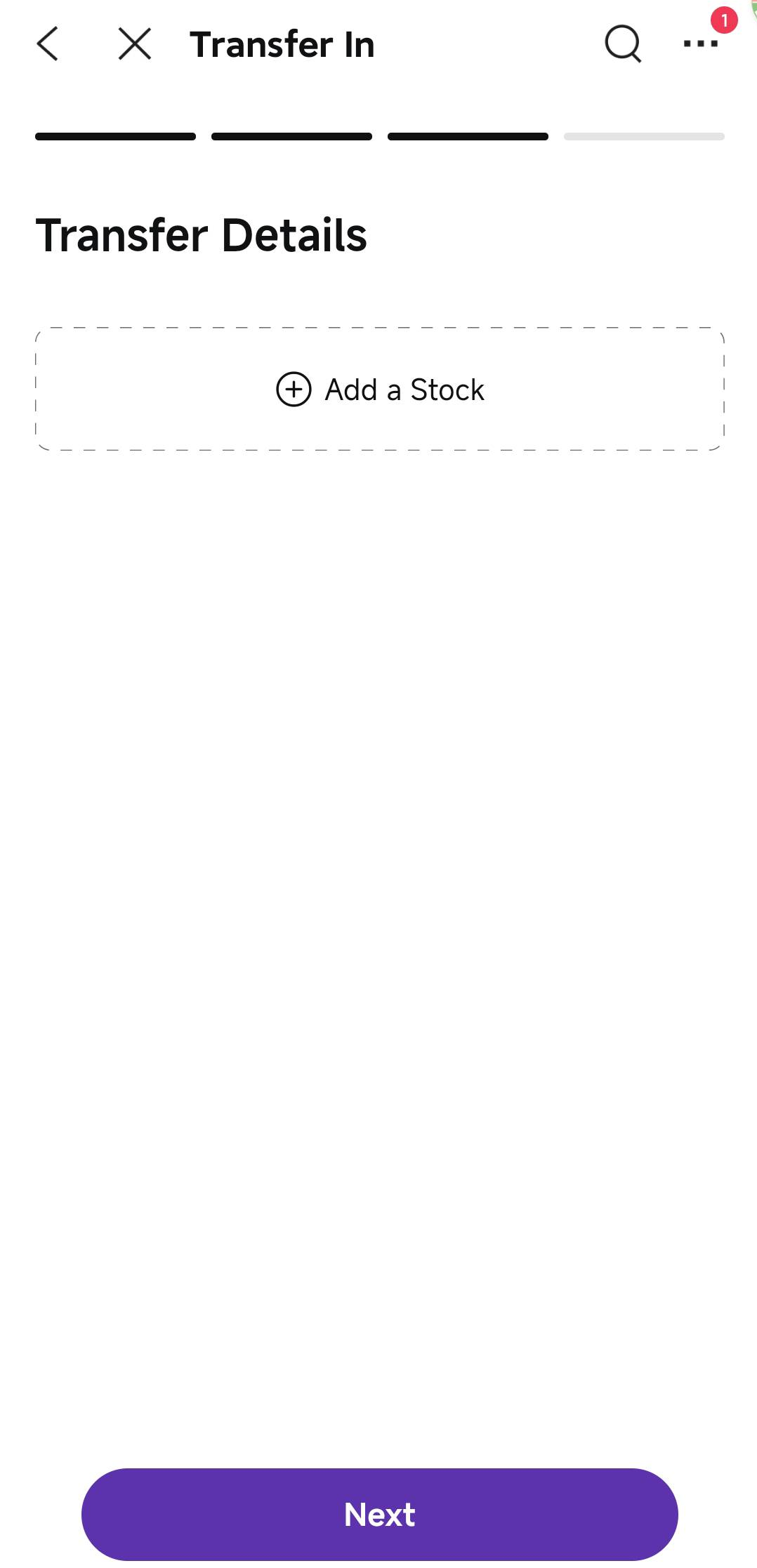
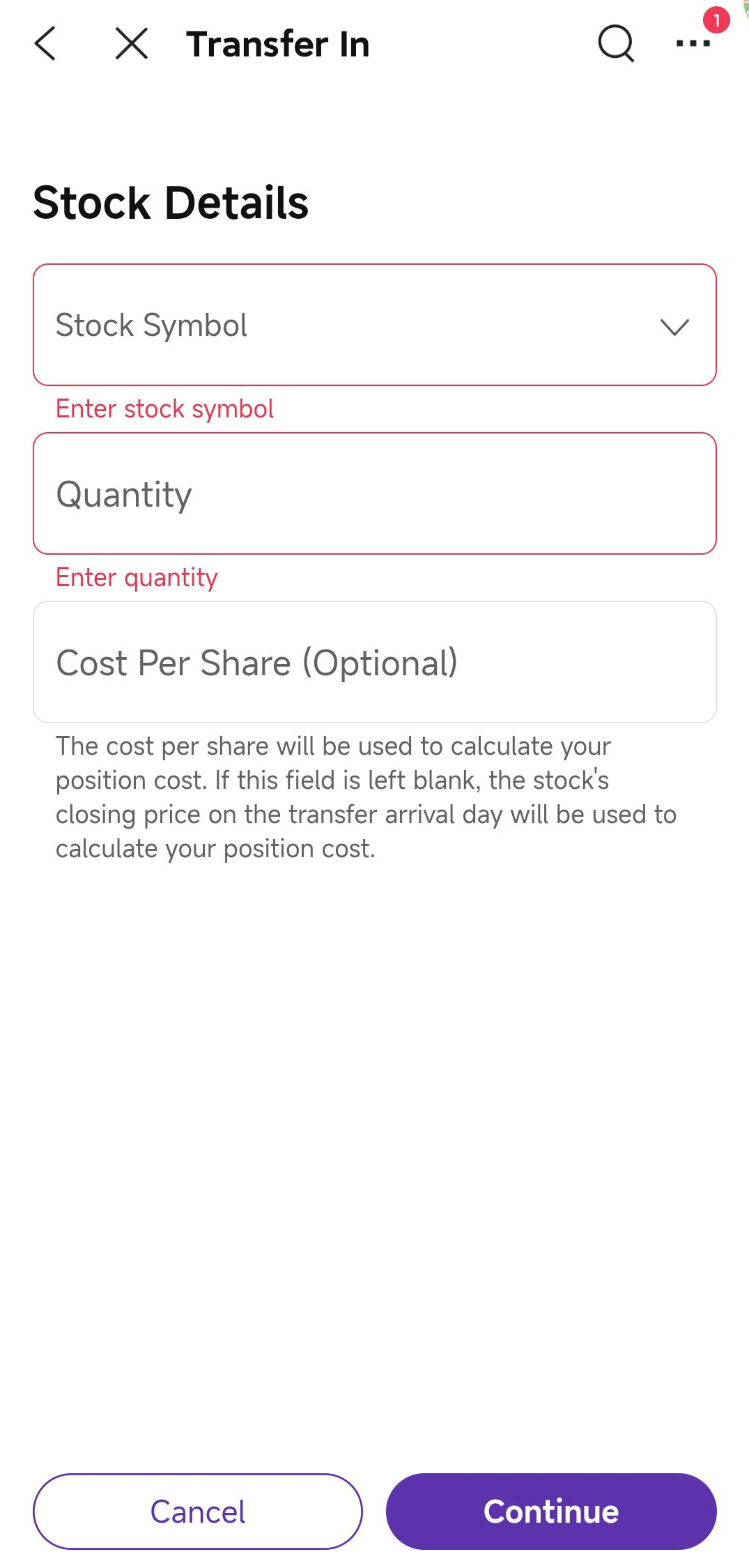
After tapping Next, fill in the details of the stocks you wish to transfer to Airstar Bank. Confirm all information, then proceed to the next step.
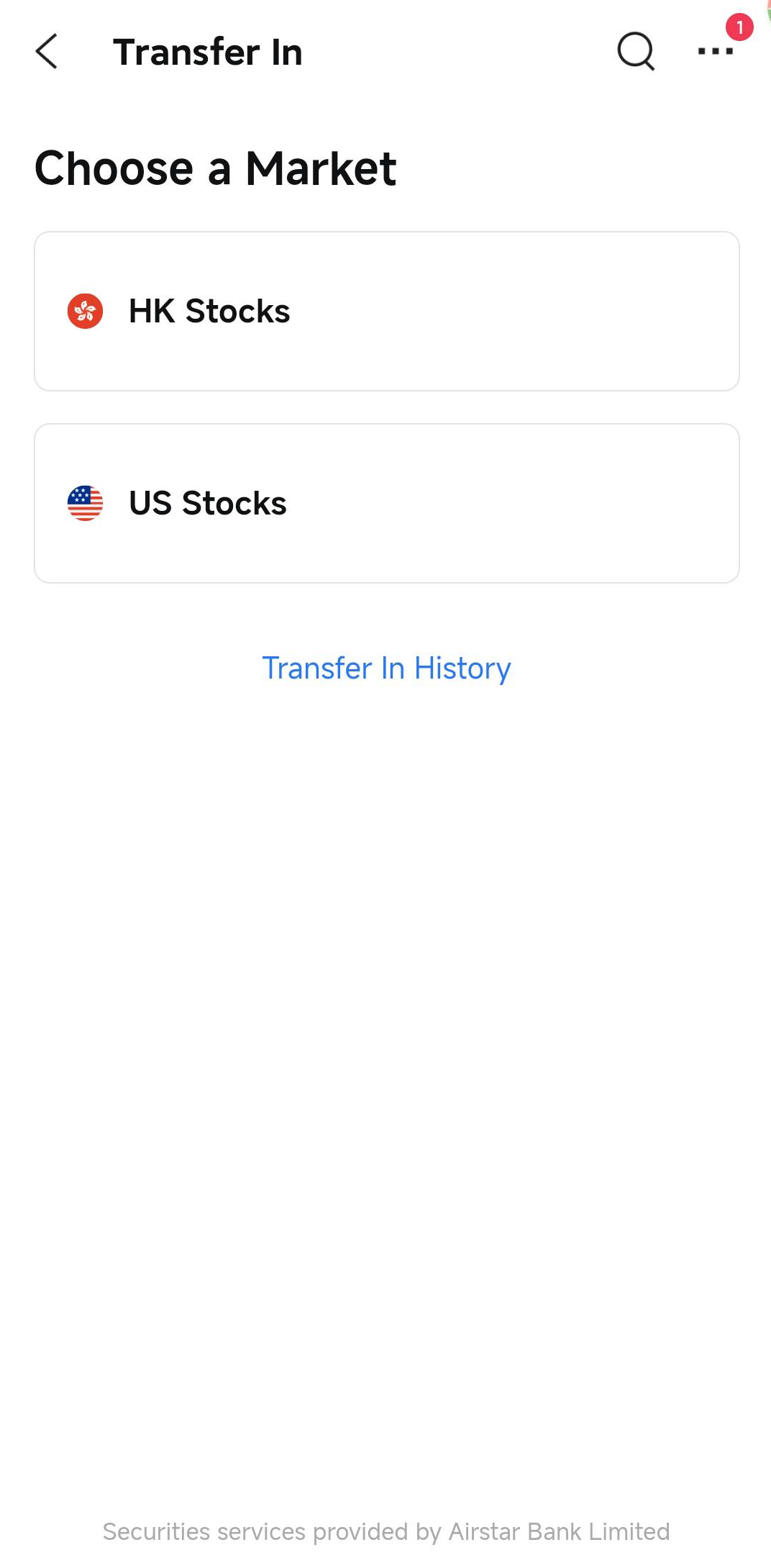 | 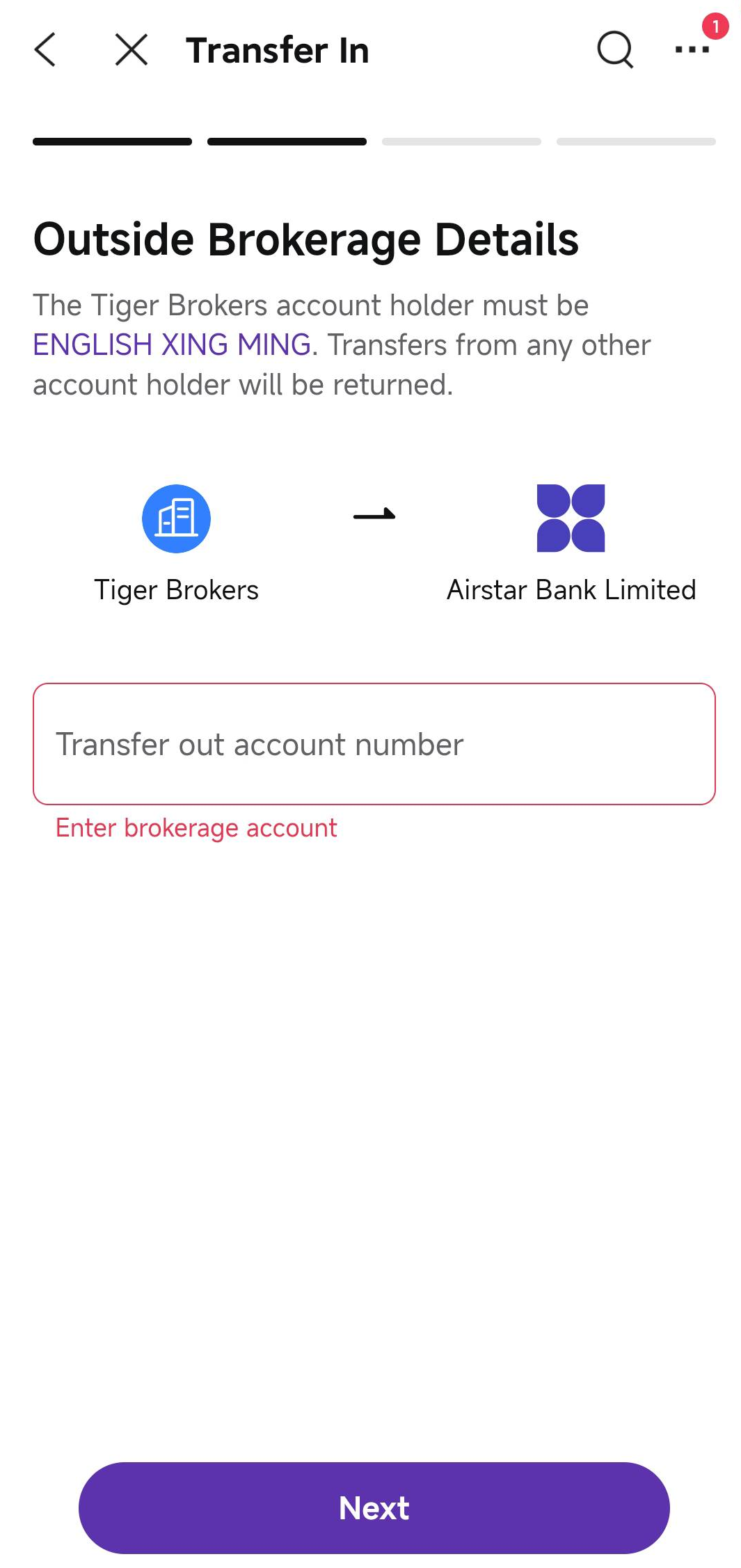 |
Select the market | Enter your details with the outgoing broker |
|
|
Add stock information | Enter stock symbol and quantity |
Review your current brokerage account information, stock symbol, and share quantity. Make sure all information is accurate before submitting your request. If there are any mistakes or missing information, go back and correct them.
*Note: Please refer to the actual information displayed in the app for confirmation. The above instructions are for reference only.
Contact your current brokerage and submit a stock transfer-out request. As each broker may have different procedures, please follow their specific instructions.
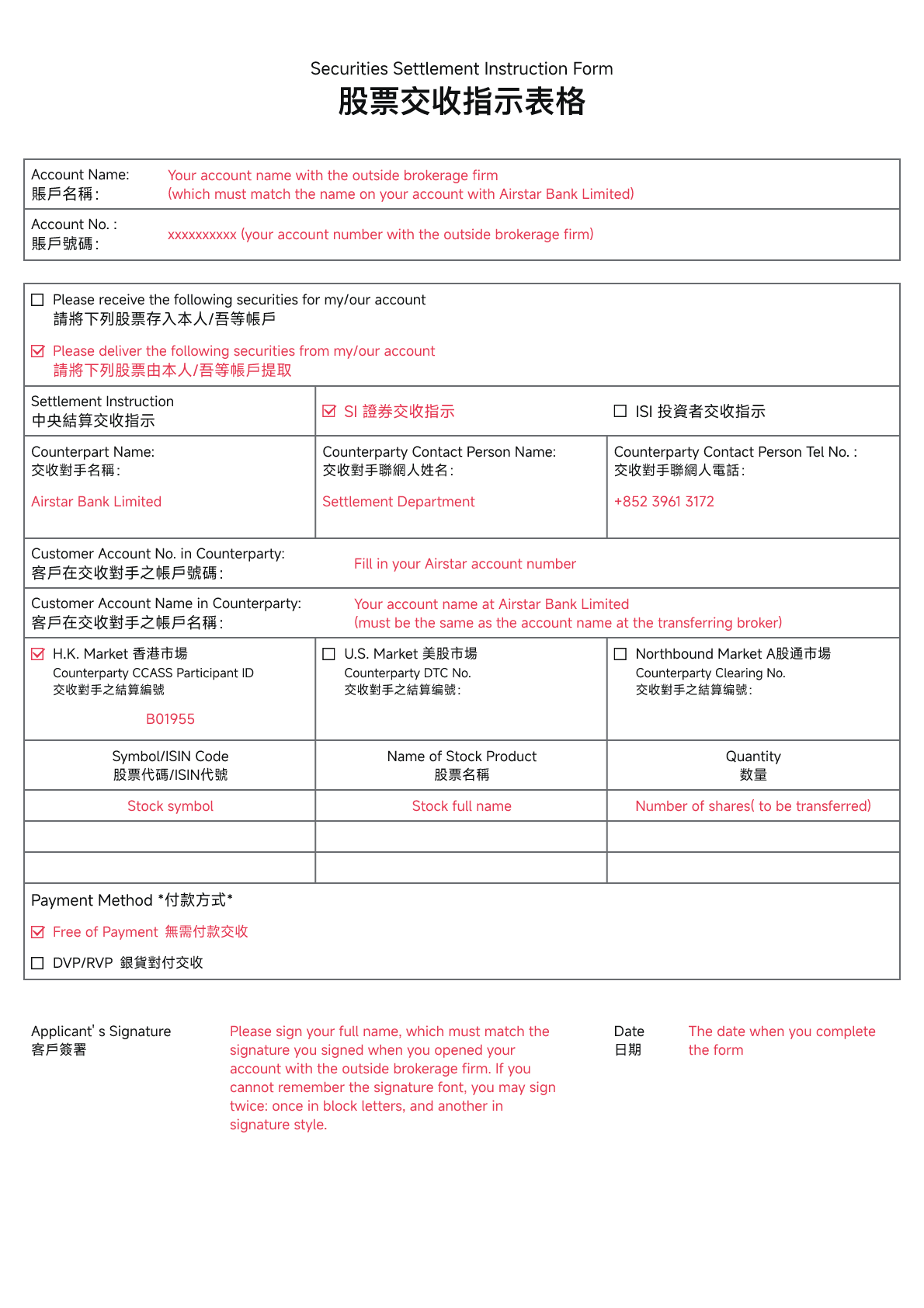
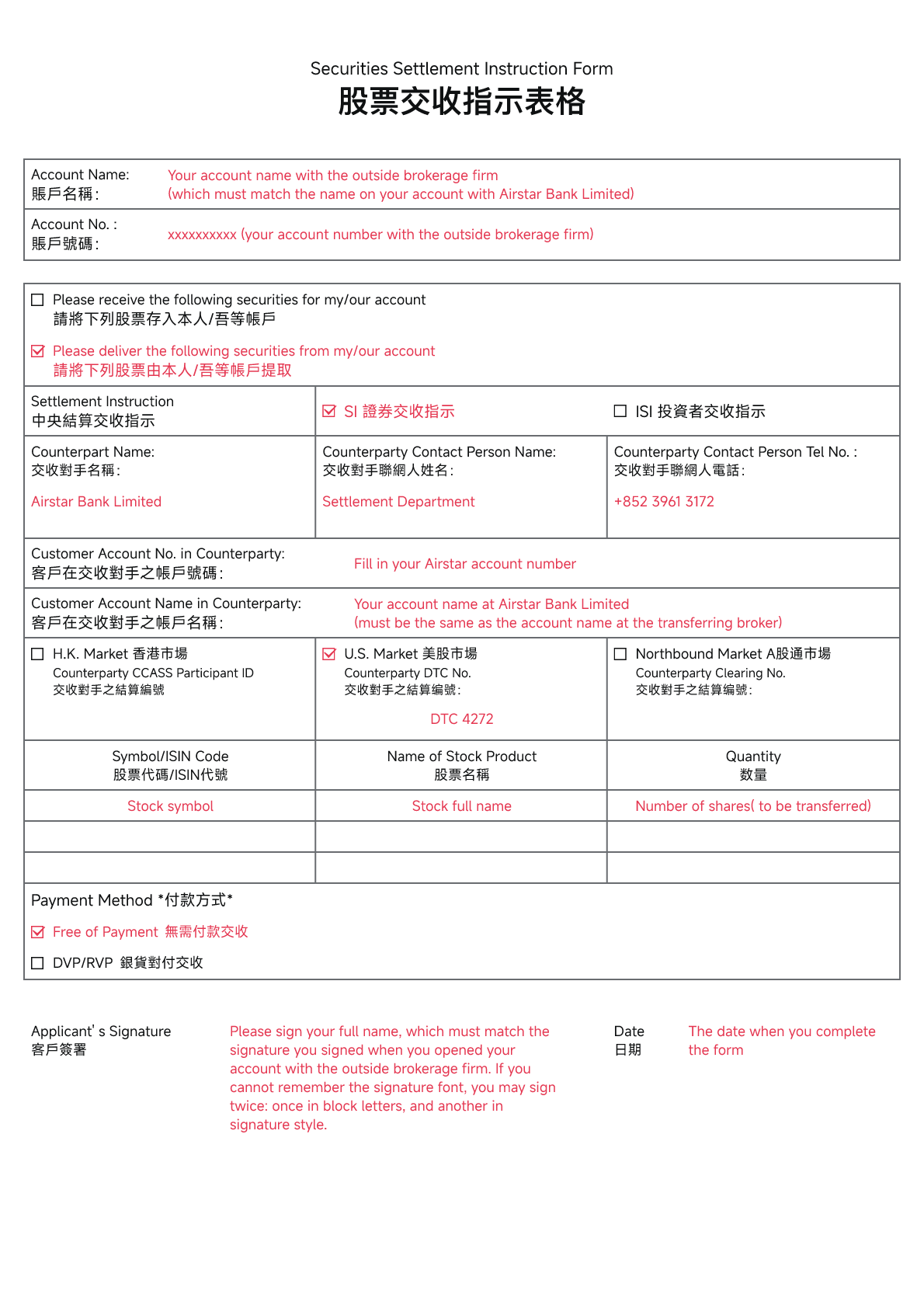
Airstar Bank's information and sample forms are provided below:
For Airstar Bank's information required to complete the Hong Kong stock transfer form, [click here].
For Airstar Bank's information required to complete the US stock transfer form, [click here].
*Note: After completing these steps, please wait patiently while both brokerages process your transfer request.